Appointment Reminder Emails: How to Cut No-Shows and Protect Your Schedule
Part of guideEmail Automation for Service Businesses: The Complete Guide →No-shows quietly drain service businesses. Learn the timing, wording, and automation that turn forgotten bookings into kept appointments.
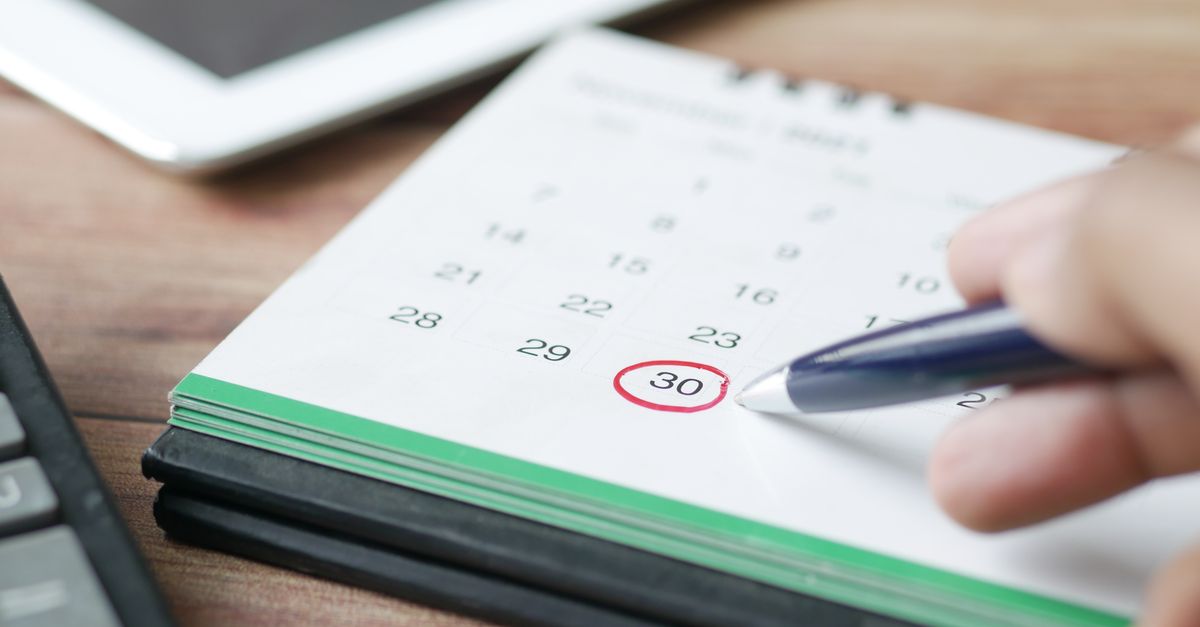
If you run a service business, you already know the feeling. A slot is booked, you hold the time, you prepare, and the client never arrives. No call, no message, just an empty chair and an hour you can never sell again. This is the no-show problem, and it is one of the quietest ways a healthy business loses money. The good news is that it is also one of the most fixable. A simple, well-timed appointment reminder email can recover a large share of that lost revenue without you lifting a finger each day. In this guide I will walk you through why no-shows happen, when to send reminders, exactly what to say, how confirmation works, and how automation handles all of it so you can focus on the work itself.
Why No-Shows Cost More Than You Think
Across service industries, the average no-show rate sits around twenty-three percent, though it varies widely by sector. Hair salons tend to land near fifteen percent, medical practices around eighteen percent, and personal trainers near twenty percent. Those percentages sound small until you turn them into money. Consider a business with ten appointments a week at an average value of eighty dollars. A fifteen percent no-show rate means roughly one and a half empty slots every week. Over a year that is dozens of missed appointments and thousands of dollars gone, all from time you already set aside.
The damage is not only the lost fee. A no-show is a slot you could have given to someone on a waiting list. It is the product you prepared, the staff you scheduled, and the momentum you lost in the middle of your day. Late cancellations carry the same weight, because a cancellation an hour before the appointment leaves you no time to refill the space. When you add it all up, the cost of doing nothing is far higher than the cost of a reminder.
Why Clients Miss Appointments
Most no-shows are not acts of disrespect. They are ordinary human forgetfulness. Someone books three weeks out, life fills the calendar, and the appointment simply slips away. Others double-book by accident, misremember the time, or assume they can reschedule and never get around to it. A small number genuinely have an emergency. Very few clients set out to waste your time on purpose.
This matters because the solution follows the cause. If forgetting is the main problem, then the cure is a timely, friendly reminder that brings the appointment back to the top of someone's mind at the right moment. You are not scolding anyone. You are doing them a favor by helping them keep a commitment they fully intended to honor.
When to Send Reminders
Timing is the single most important factor in a reminder strategy. Send too early and the client forgets again before the day arrives. Send too late and there is no time left to act. The most reliable approach is a short sequence of reminders, each aligned with a moment when the client can actually do something about the appointment.
The Confirmation Email at Booking
The cycle should begin the instant someone books. An immediate confirmation email creates a written record, sets expectations, and gives the client every detail they need from the start. It also reassures them that the booking went through, which prevents the anxious double-booking that leads to confusion later.
The 24-Hour Reminder
The reminder twenty-four hours before the appointment is the workhorse of the whole system. By this point the client is usually planning their next day, so the message lands exactly when they are deciding how tomorrow will unfold. This is the moment when a forgotten appointment can still be saved or, if a conflict has appeared, rescheduled with enough notice for you to refill the slot. Many businesses also add an earlier touch around seventy-two hours out, which gives plenty of room to move things without leaving a hole in the calendar.
The Short-Notice Reminder
A final reminder a couple of hours before the appointment catches same-day conflicts and the simple slip of having forgotten the exact time. Studies of multi-step reminder sequences, such as a three-day, one-day, and same-day pattern, show no-show rates falling dramatically compared with sending nothing or a single reminder. The lesson is consistent. Strategic timing matters more than sheer volume, and each reminder should match a real decision point in the client's day.
What to Say in the Email
A reminder that is hard to read is a reminder that gets ignored. The goal is for the client to grasp every essential fact in a few seconds. Keep the tone warm and the layout clean, and make sure the message answers every question before the client has to ask it.
The Essentials Every Reminder Needs
- A clear subject line that names the appointment and, when possible, the date and time, so the message is recognized before it is even opened.
- The client's name, so the email feels personal rather than mass-produced.
- Your business name, so there is no doubt about who is writing.
- The service they booked, stated plainly.
- The date and time, including the time zone when that could ever be unclear.
- The location, with an address or, for virtual sessions, the link they will use.
- Clear instructions to confirm, reschedule, or cancel, along with a phone number for anyone who would rather call.
Add Preparation Details When They Matter
If the appointment requires anything from the client, say so directly. Ask them to arrive ten minutes early, to bring a document, to avoid eating beforehand, or to complete a form. A short, specific list of what to do removes the friction that sometimes turns into a cancellation. People keep appointments they feel ready for.
State Your Policy Without Sounding Harsh
A reminder is the natural place to restate your cancellation policy in a calm, neutral way. A single line asking clients to give at least twenty-four hours' notice if they need to change or cancel sets a fair expectation and protects your schedule. The tone should be respectful, never threatening. Most people respond well to a clear request and a simple way to act on it.
Make Confirmation Effortless
A reminder becomes far more powerful when the client can respond to it. Confirmation does two things at once. It gives the client a small, active commitment, which makes them more likely to show up, and it gives you advance warning when they cannot. A confirmed appointment is a kept appointment far more often than a silent one.
The path to confirm, reschedule, or cancel should be as short as possible. If a client has to dig for a phone number or compose a message from scratch, many will simply do nothing. When the action is one obvious step, the client who needs to reschedule will actually tell you, and that early notice is what lets you offer the slot to someone else instead of staring at an empty room.
How Automation Carries the Load
Everything above sounds like effort, and if you did it by hand it would be. Manually emailing every client a day before each appointment is the kind of task that gets dropped the moment you are busy, which is exactly when no-shows hurt most. This is where automation changes the equation entirely.
With an email platform like Mailmundo, you write each message in the sequence once. The confirmation, the twenty-four-hour reminder, and the short-notice reminder are built as a flow that runs on its own. When an appointment is booked, the right messages go out at the right times to the right person, with their name and details filled in automatically, in the language they speak. You set it up once and it works in the background for every client, every day, without you having to remember a thing.
For businesses serving customers across the Americas, the ability to send those reminders natively in English, Portuguese, and Spanish is not a small detail. A client is far more likely to read and act on a message written in their own language. Automated, multilingual reminders mean each person receives a clear, personal message that feels handwritten, even though the system sent thousands like it.
Putting It Into Practice
You do not need to overhaul your operation to start. Begin with one well-written reminder sent twenty-four hours before the appointment, with the essentials laid out cleanly and a simple way to confirm or reschedule. Once that is running, add the confirmation at booking and a short-notice reminder on the day. Watch your no-show rate over a few weeks and let the results guide you.
No-shows will never reach zero, because life is unpredictable. But the gap between doing nothing and sending a thoughtful, automated reminder sequence is enormous, and it is measured directly in revenue you keep instead of lose. It also changes how clients experience your business. A clear confirmation and a timely reminder signal that you are organized and that you value their time, and that impression builds the kind of trust that brings people back and earns referrals. A protected schedule is a calmer business, a steadier income, and more time spent doing the work you set out to do. The reminder email is one of the simplest tools you have, and once it is automated, it quietly pays for itself every single week.